June 16, 2026 · 4 min read
Beyond Booking: First In Systems Now Runs Your Classes, Rosters, and Waitlists
Until now, First In Systems was about one thing: getting an interested student to book a time. The AI answers, qualifies, and lands them on your calendar. That part still works the same.
But once someone's booked, the real work begins — running the class. So we built that in. You can now set up classes, take sign-ups against real availability, manage a live roster, and let a waitlist backfill cancellations automatically. No spreadsheets, no double-booking.
Set up a class in minutes
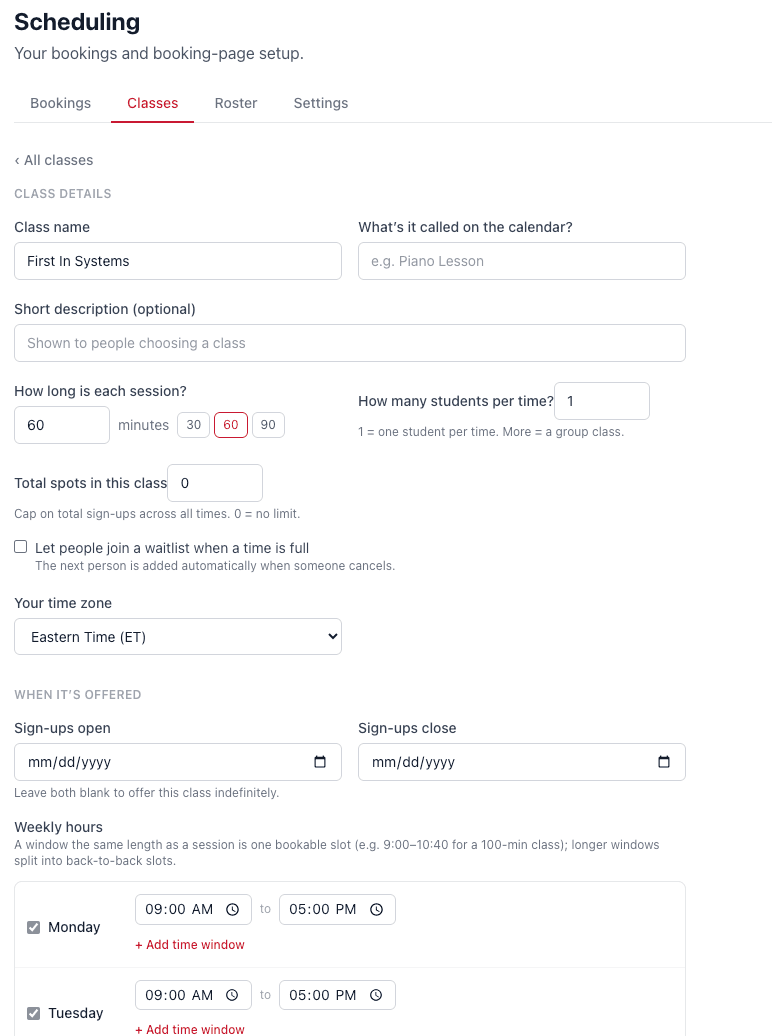
Give the class a name, set how long each session runs, and decide how many students can join per time — one for a private lesson, more for a group class. Cap the total spots if you want a hard limit, and choose the dates sign-ups open and close. Leave them blank to offer it indefinitely.
Set your weekly availability
Pick the hours each class is offered, day by day. A window the same length as a session becomes one bookable slot — and longer windows split automatically into back-to-back slots, so you never hand-build a calendar grid.
One link for all your classes
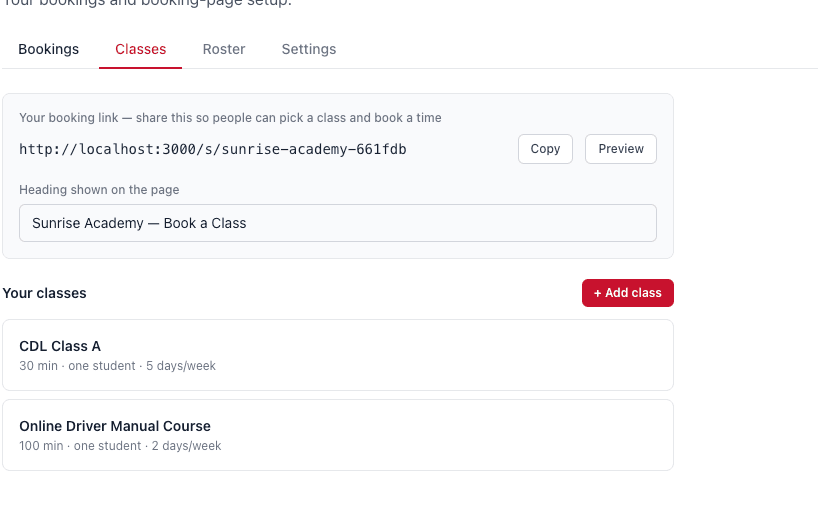
Every class lives behind a single booking link you can share anywhere — your website, an email, a text. Students pick the class they want and a time that works, and they're enrolled.
A live roster, with attendance
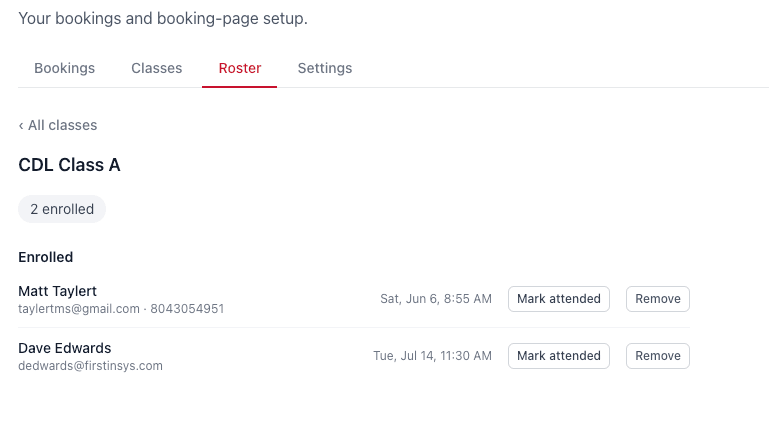
Every class has its own roster showing exactly who's enrolled, with their email and phone right there. Mark a student attended with one tap, or remove them in seconds — no separate sign-in sheet to reconcile later.
An automatic waitlist
When a class fills up, students don't hit a dead end — they join a waitlist. And the moment someone cancels, the next person is promoted automatically. You never have to chase the list, and a seat never sits empty while interested students walk away.
Close the calendar when you're out
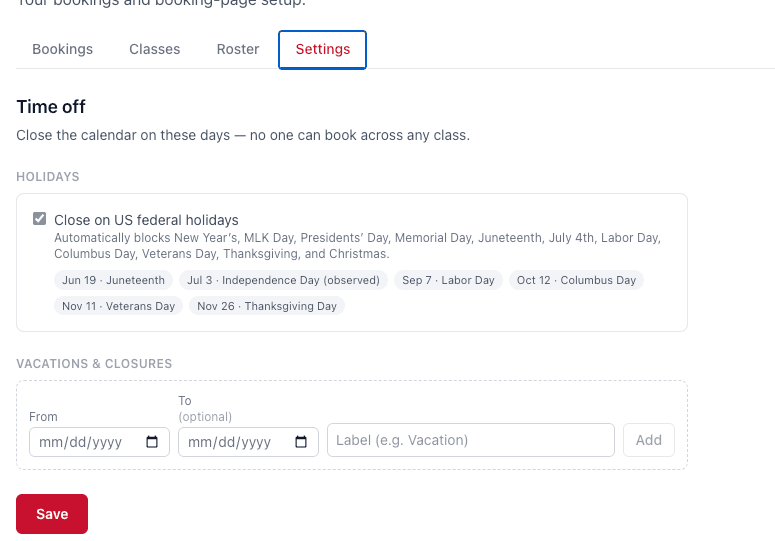
Holidays and time off shouldn't mean a student books a slot that doesn't exist. Flip one toggle to close on US federal holidays, and add your own vacation dates and one-off closures. No one can book across any class on those days.
Why it matters
Booking the conversation was never the finish line — filling the class is. With scheduling, rosters, and a waitlist living in the same system that answers your phone, the path from “I'm interested” to “I'm enrolled and showing up” finally runs on its own.
Want to see it set up for your classes? Book a quick walkthrough and we'll wire it up for you.
See it answer a lead in 30 seconds
First In Systems responds to every form and missed call automatically — so prospects hear back instantly, even when you're teaching or behind the wheel.
Book a free demo