June 16, 2026 · 4 min read
Beyond Booking: First In Systems Now Runs Your Sessions, Rosters, and Waitlists
Until now, First In Systems was about one thing: getting an interested customer to book a time. The AI answers, qualifies, and lands them on your calendar. That part still works the same.
But once someone's booked, the real work begins — running the session. So we built that in. You can now set up sessions, take sign-ups against real availability, manage a live roster, and let a waitlist backfill cancellations automatically. No spreadsheets, no double-booking.
Set up a session in minutes
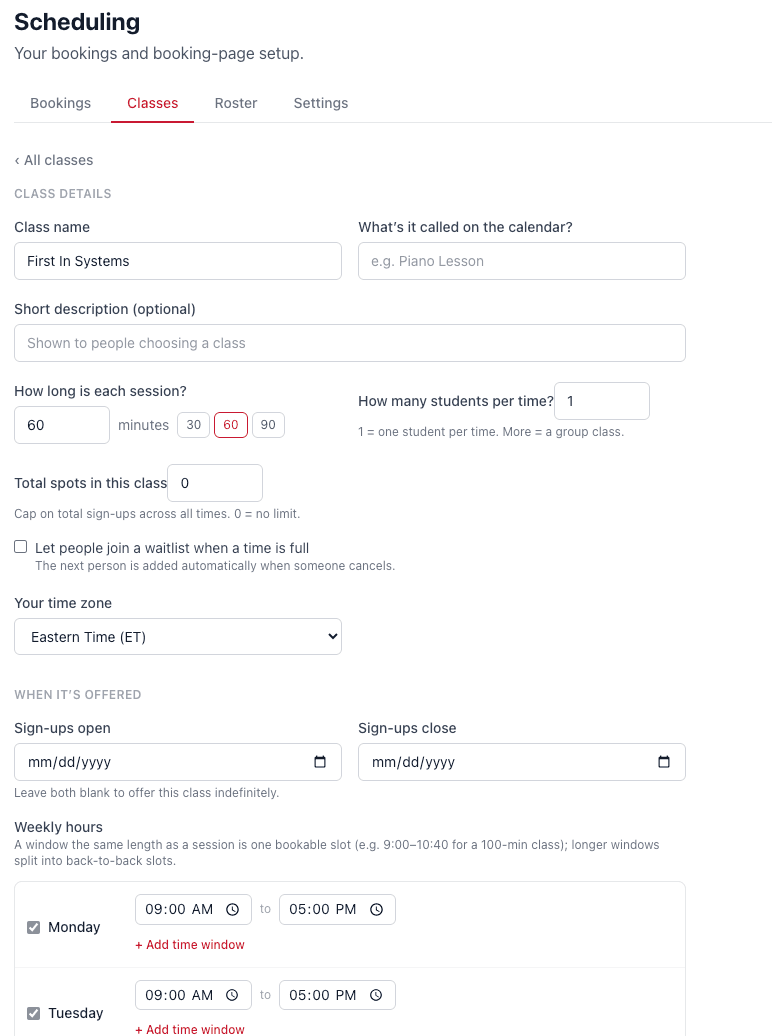
Give the session a name, set how long it runs, and decide how many people can book per time — one for a private appointment, more for a group. Cap the total spots if you want a hard limit, and choose the dates sign-ups open and close. Leave them blank to offer it indefinitely.
Set your weekly availability
Pick the hours each session is offered, day by day. A window the same length as a session becomes one bookable slot — and longer windows split automatically into back-to-back slots, so you never hand-build a calendar grid.
One link for everything you offer
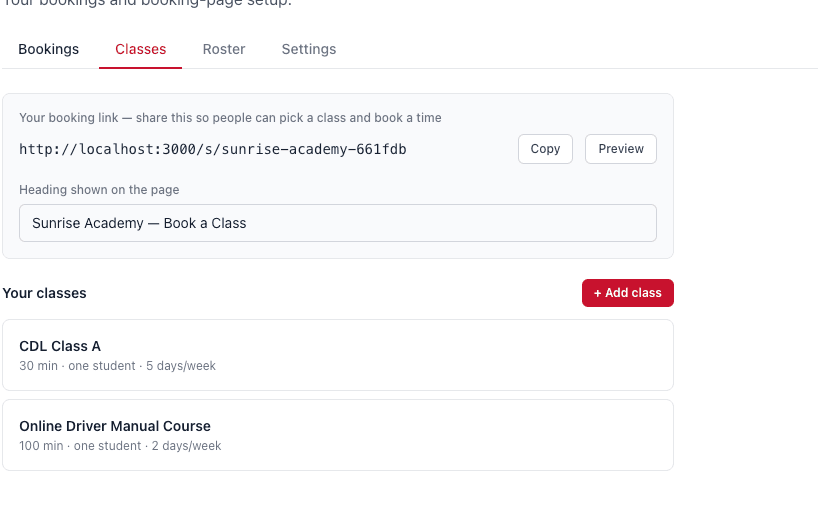
Every session lives behind a single booking link you can share anywhere — your website, an email, a text. Customers pick what they want and a time that works, and they're booked.
A live roster, with attendance
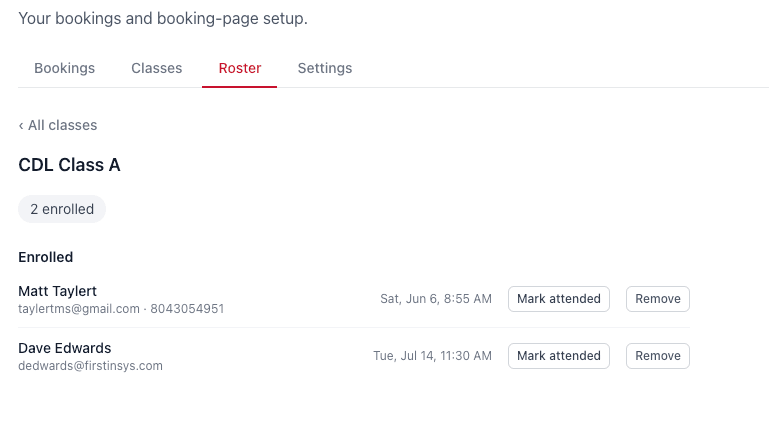
Every session has its own roster showing exactly who's booked, with their email and phone right there. Mark someone attended with one tap, or remove them in seconds — no separate sign-in sheet to reconcile later.
An automatic waitlist
When a session fills up, people don't hit a dead end — they join a waitlist. And the moment someone cancels, the next person is promoted automatically. You never have to chase the list, and a spot never sits empty while interested customers walk away.
Close the calendar when you're out
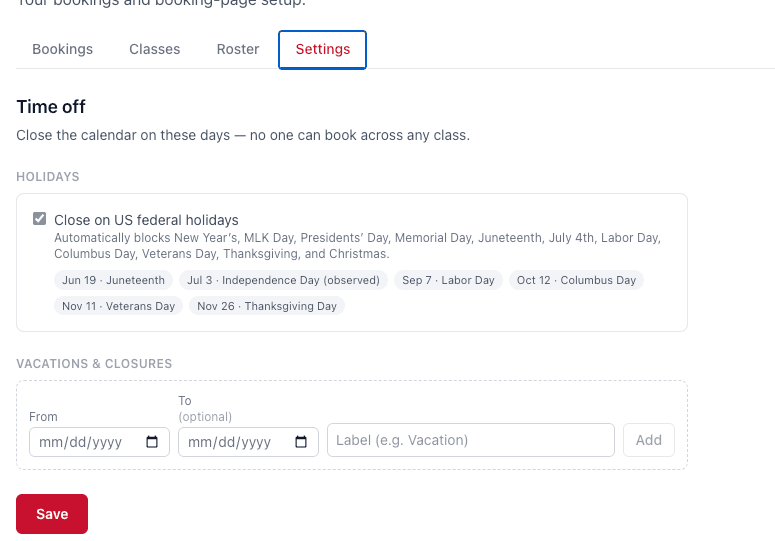
Holidays and time off shouldn't mean a customer books a slot that doesn't exist. Flip one toggle to close on US federal holidays, and add your own vacation dates and one-off closures. No one can book anything on those days.
Why it matters
Booking the conversation was never the finish line — filling the calendar is. With scheduling, rosters, and a waitlist living in the same system that answers your phone, the path from “I'm interested” to “I'm booked and showing up” finally runs on its own.
Want to see it set up for your business? Book a quick walkthrough and we'll wire it up for you.
See it answer a lead in 30 seconds
First In Systems responds to every form and missed call automatically — so prospects hear back instantly, even when you're teaching or behind the wheel.
Book a free demo